
Breakeven trade settings
How to use this page
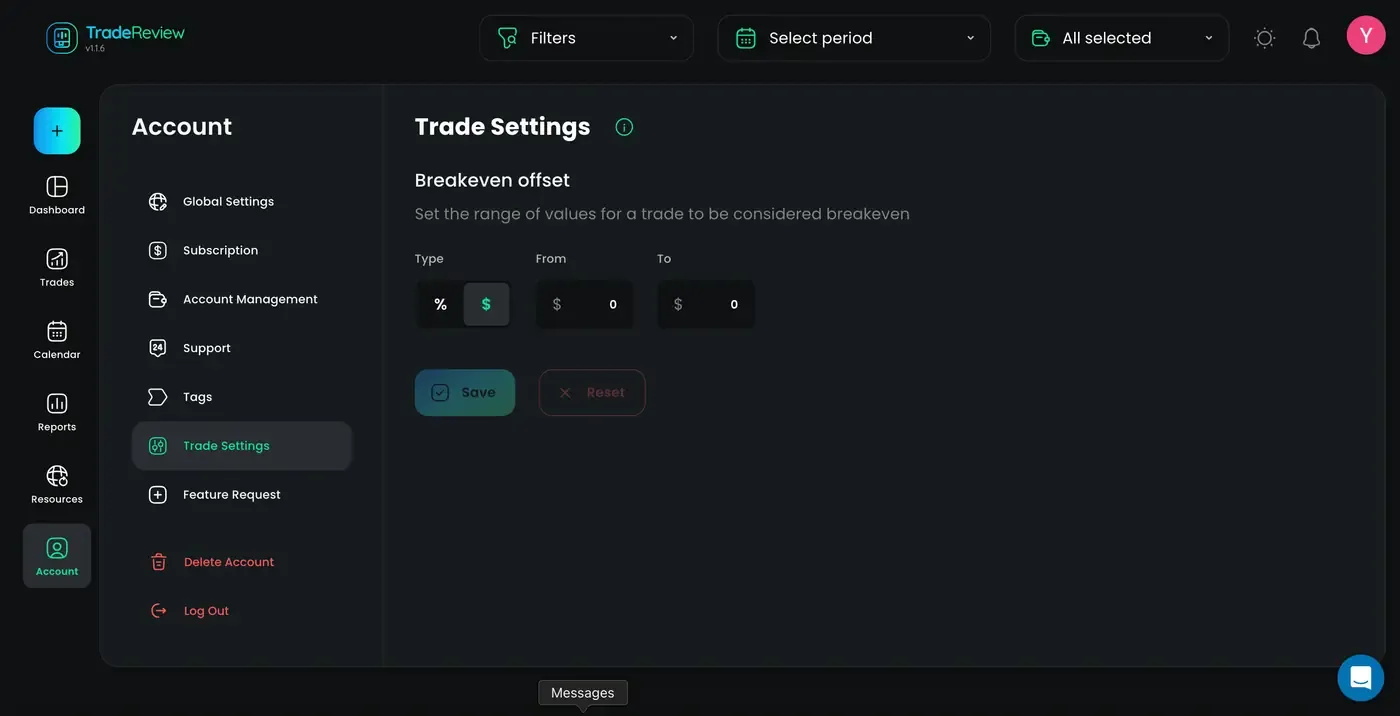
Section titled “How to use this page”Open Account → Trade settings (Trade settings). Adjust how TradeReview classifies breakeven trades so dashboard and reports match how you think about noise vs. real wins and losses.
Breakeven offset
Section titled “Breakeven offset”Breakeven offset defines the profit/loss range treated as breakeven. Trades inside that range are neither wins nor losses in analytics and reports.
Use it to ignore insignificant results from commissions, spreads, or minor market noise.
How it works
Section titled “How it works”A trade is breakeven when its final result falls between the From and To values you set.
- % — range as a percentage of trade size
- $ — fixed monetary range
- From — lower boundary
- To — upper boundary
Example: Type = $, From = -5, To = 5 → any result between -$5 and +$5 is breakeven.
Example
Section titled “Example”You pay commissions on every trade and want tiny P&L swings ignored in performance analysis. Set a breakeven offset so reports reflect meaningful wins and losses.