
Import MetaTrader 4 trades
To import your trade data from TradingView into TradeReview, follow the steps mentioned below: Exporting trade data from TradingView into a file
Step 1: Open MetaTrader4 Desktop Application
Step 2: In the MetaTrader Terminal window, select the History tab.
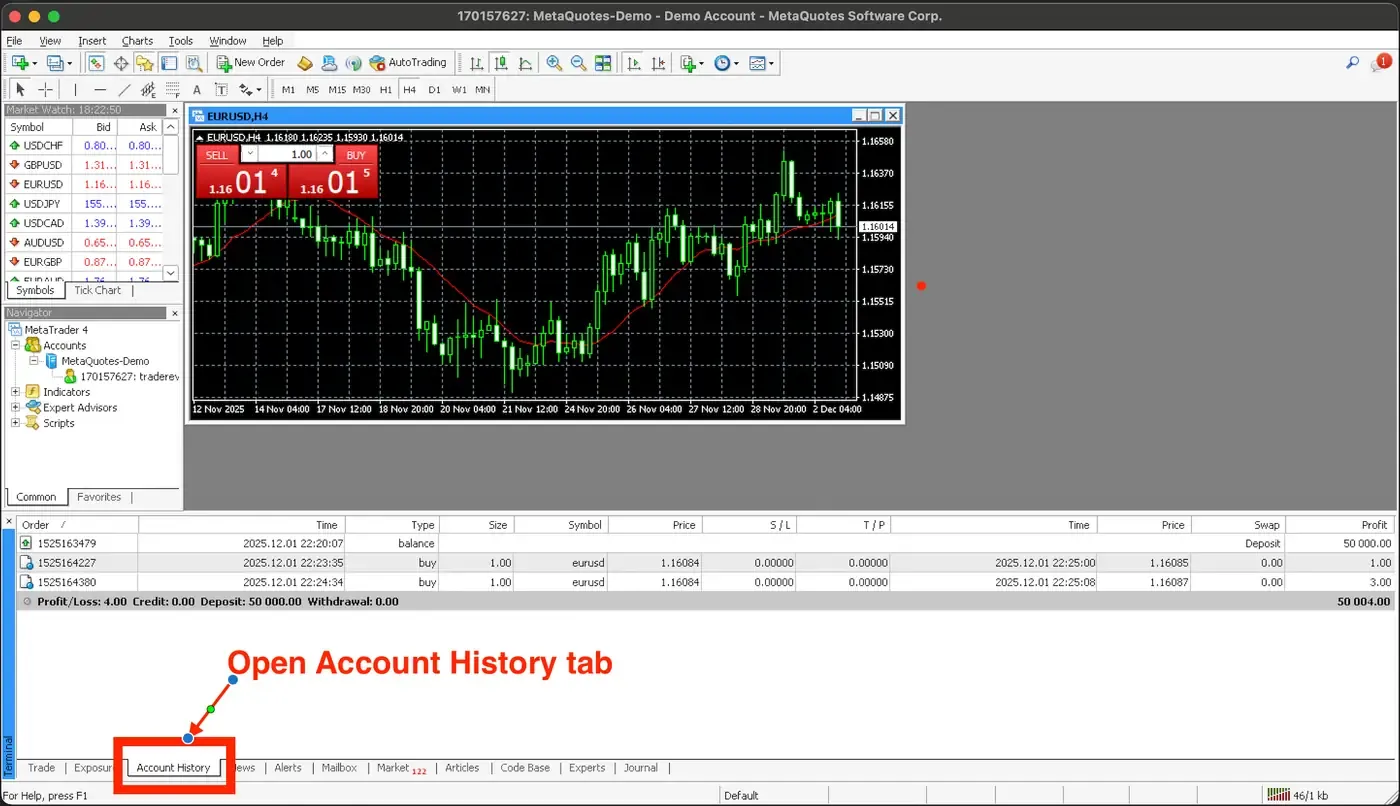
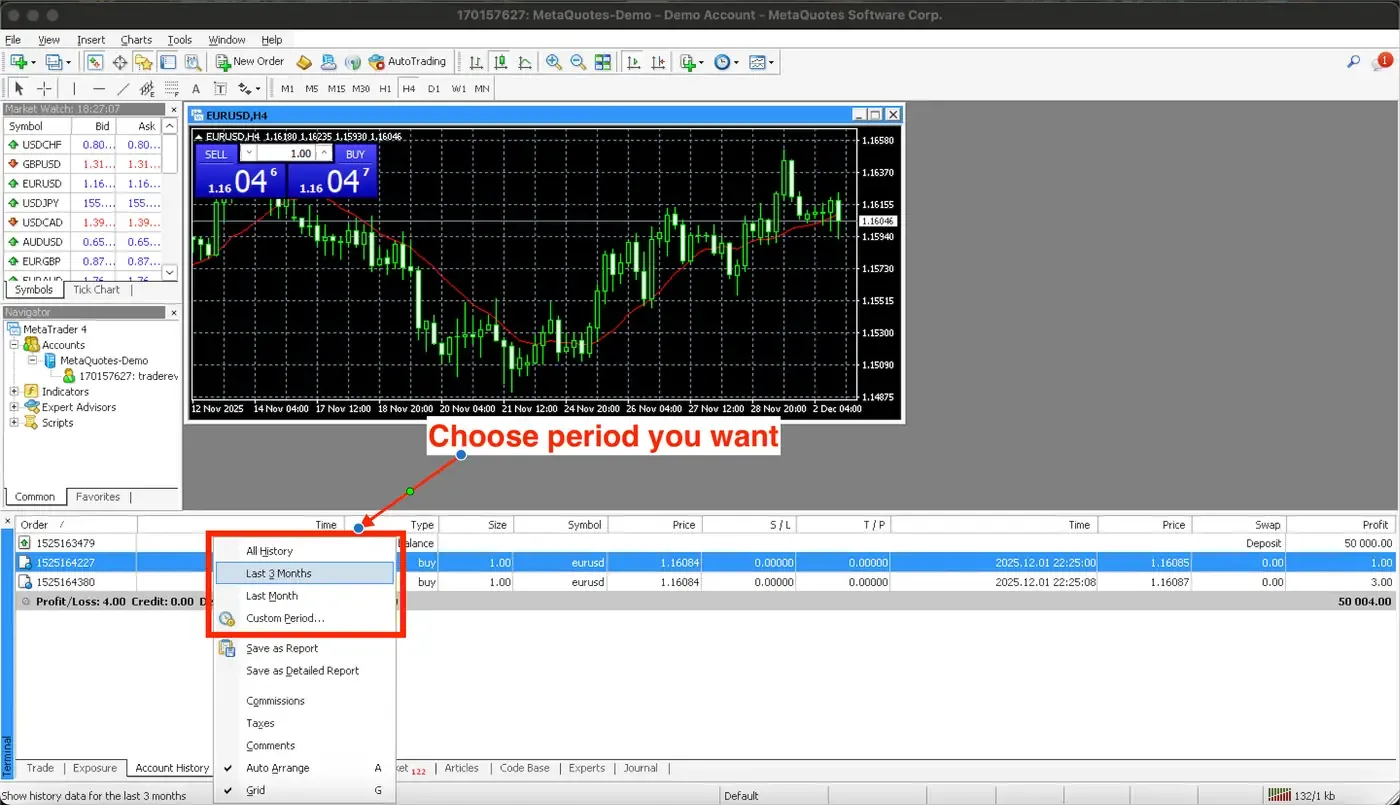
Step 3: Right-click in the Account History tab and choose the time period you want to export.
Options include “All History,” “Last 3 Months,” “Last Month,” or a custom period of your choice.
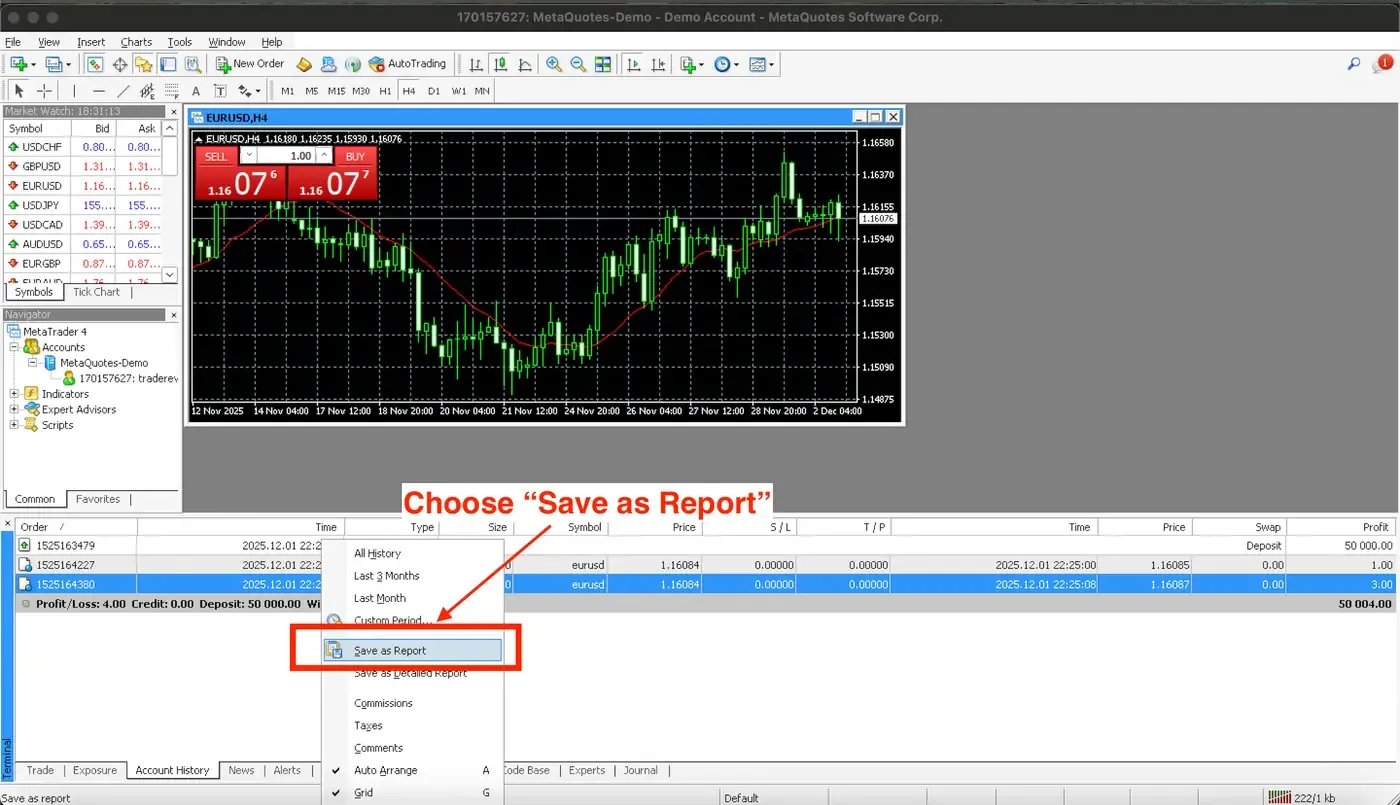
Step 4: Right-click in the Account History tab, select “Save as Report”. Save the report as an HTML file to your desktop.
IMPORTANT: Please make sure the file is written in English.
Uploading the exported file into TradeReview
Section titled “Uploading the exported file into TradeReview”- Visit the TradeReview import page here or by clicking the ”+” button on the sidebar.
2. Select Your Account
Section titled “2. Select Your Account”- Select the account to which you want to import trades