
How to Enter Trades Manually
Why Manual Trade Entry Matters
Section titled “Why Manual Trade Entry Matters”Manually entering trades into your journal allows for precise record-keeping and ensures that you capture all relevant details. This helps you maintain a complete trading history and analyze your performance effectively.
Steps to Enter Trades Manually
Section titled “Steps to Enter Trades Manually”1. Access the Trade Entry Section
Section titled “1. Access the Trade Entry Section”- Log in to your TradeReview account.
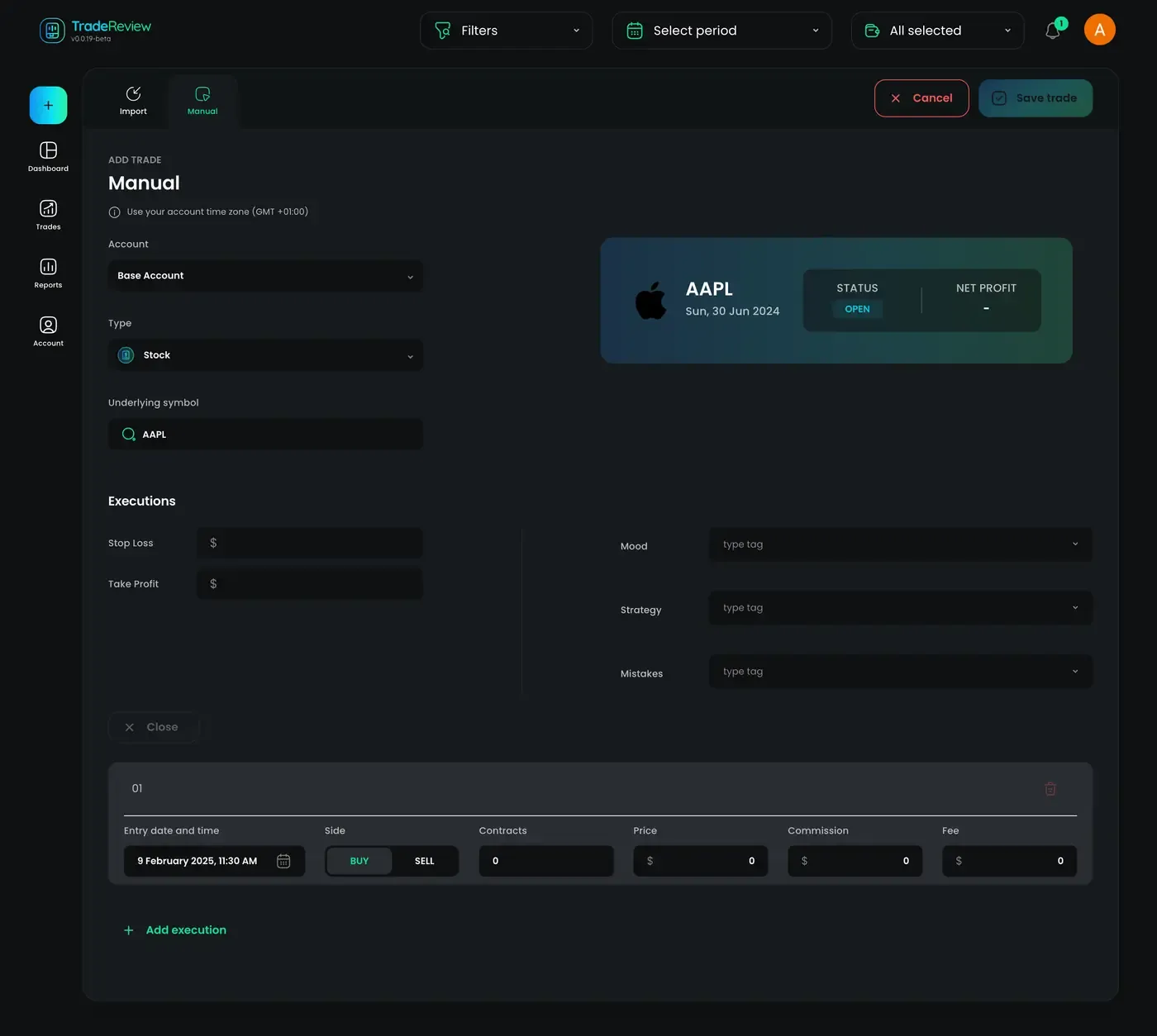
- Visit https://tradereview.app/web/add-trade-manual to access the manual trade entry page
- Alternatively, you can click the ”+” button on the left panel and choose “Manual” option.
2. Select Your Account
Section titled “2. Select Your Account”- Select the account to which you want the trade execution to be applied.
3. Specify the Asset Type and Symbol
Section titled “3. Specify the Asset Type and Symbol”- Asset Type: Select the type of asset (stock, option or option spread).
- Symbol: Enter the symbol of the asset you are trading.
4. Fill in Trade Details
Section titled “4. Fill in Trade Details”- Stop Loss: Enter your stop loss (optional)
- Take Profit: Enter your take profit (optional)
Depending on the asset type, additional details may be required, such as:
- Direction: Relevant for options, Call or Put.
- Expiration Date: Relevant for options.
- Strike Price: Relevant for options.
- Option Multiplier: Relevant for options and option spreads.
5. Tag & Categorize Trades
Section titled “5. Tag & Categorize Trades”- Use tags to categorize trades by mood, strategy, or mistakes.
- This makes filtering and reviewing trades easier.
6. Create Executions
Section titled “6. Create Executions”Click on the “Add execution” button to adding more executions. Here’s what you’ll need to fill out:
- Entry date and time: The exact date and time of the trade execution.
- Side: Buy/Sell. If it’s a long trade, the first execution will be to buy. If it’s a short trade, the first execution will sell.
- Contracts: Enter the number of shares/contracts.
- Price: The price at which the trade was executed.
- Commission: Any commission associated with the trade
- Fee: Any fee associated with the trade
7. Review & Save
Section titled “7. Review & Save”- Double-check the details before saving.
- Click on “Save Trade” button to save the trade
Best Practices for Manual Trade Entry
Section titled “Best Practices for Manual Trade Entry”- Be consistent with your trade logging to ensure accurate analysis.
- Include as many details as possible to improve your learning process.
By following these steps, you ensure that your trading journal remains a valuable tool for improvement. Stay disciplined and keep logging your trades!