
Viewing a trade
How to use this page
Section titled “How to use this page”Open a trade from Trades, the dashboard table, calendar day details, or a report. The trade detail page is where you review what happened and capture lessons for later.
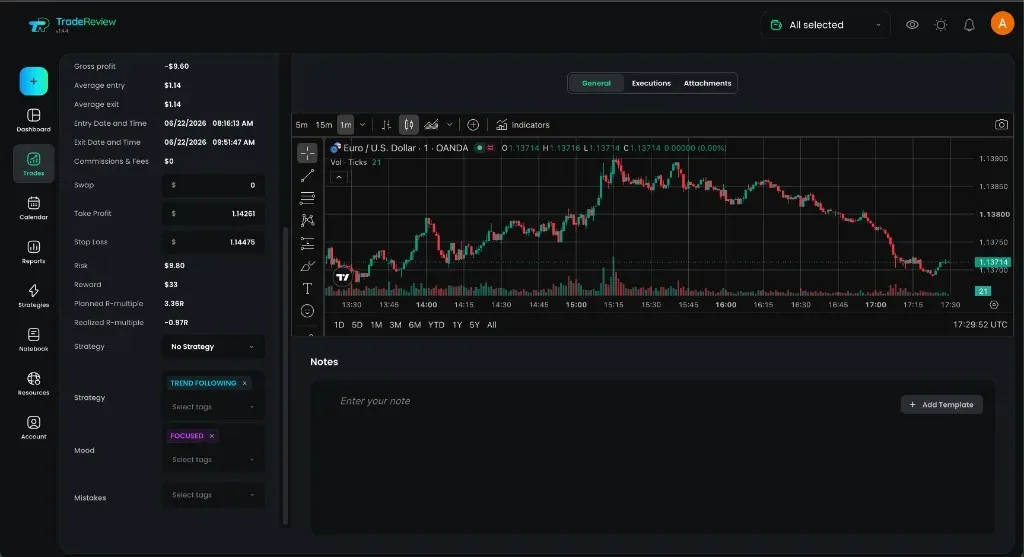
General
Section titled “General”- Chart — price context for the trade (in-app chart; TradingView where available)
- Notes — write or edit your trade journal note for this fill (optionally from a template)
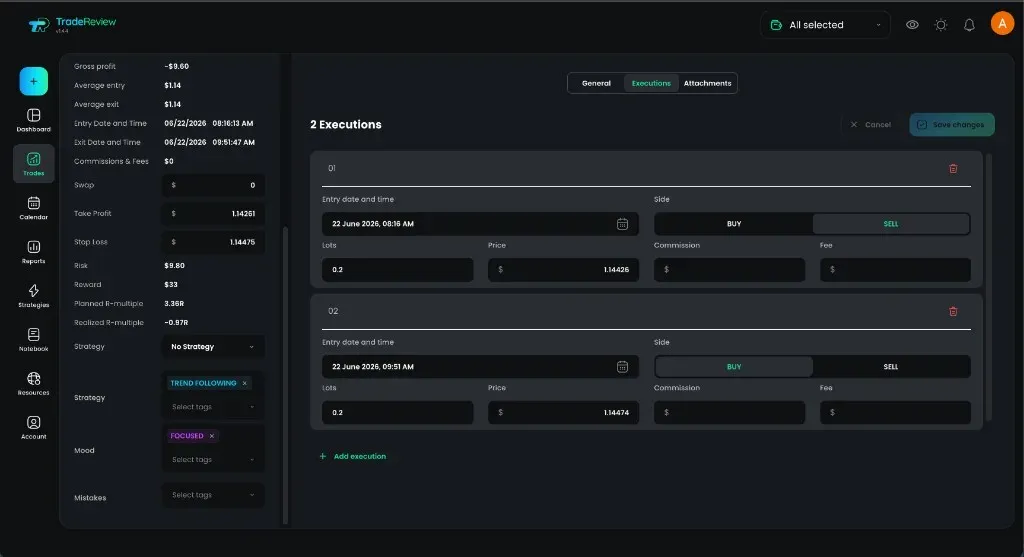
Executions
Section titled “Executions”- See each leg (date/time, side, size, price, commission, fees)
- Add or edit executions when the imported data needs correction
- Use Close trade when you need to close an open position in the journal — see How to close a trade manually
Attachments
Section titled “Attachments”- Upload screenshots or files related to the trade
- Remove attachments you no longer need
Sidebar details
Section titled “Sidebar details”The trade sidebar summarizes:
- Side, size, ROI, and P&L
- Entry / exit, fees, swap, take-profit / stop-loss, and R where available
- Strategy — assign a strategy in the sidebar; use the Strategy tab to check the rules you followed
- Tags — categorize mood, setup, mistake, or custom labels
Review and delete
Section titled “Review and delete”- Toggle review when you have finished reviewing the trade
- Delete removes the trade from your journal (use carefully)