
How to filter trades
Open Trades (Trades) — or use the same date and filter controls on Dashboard and Reports. Filters narrow your history so reviews stay focused.
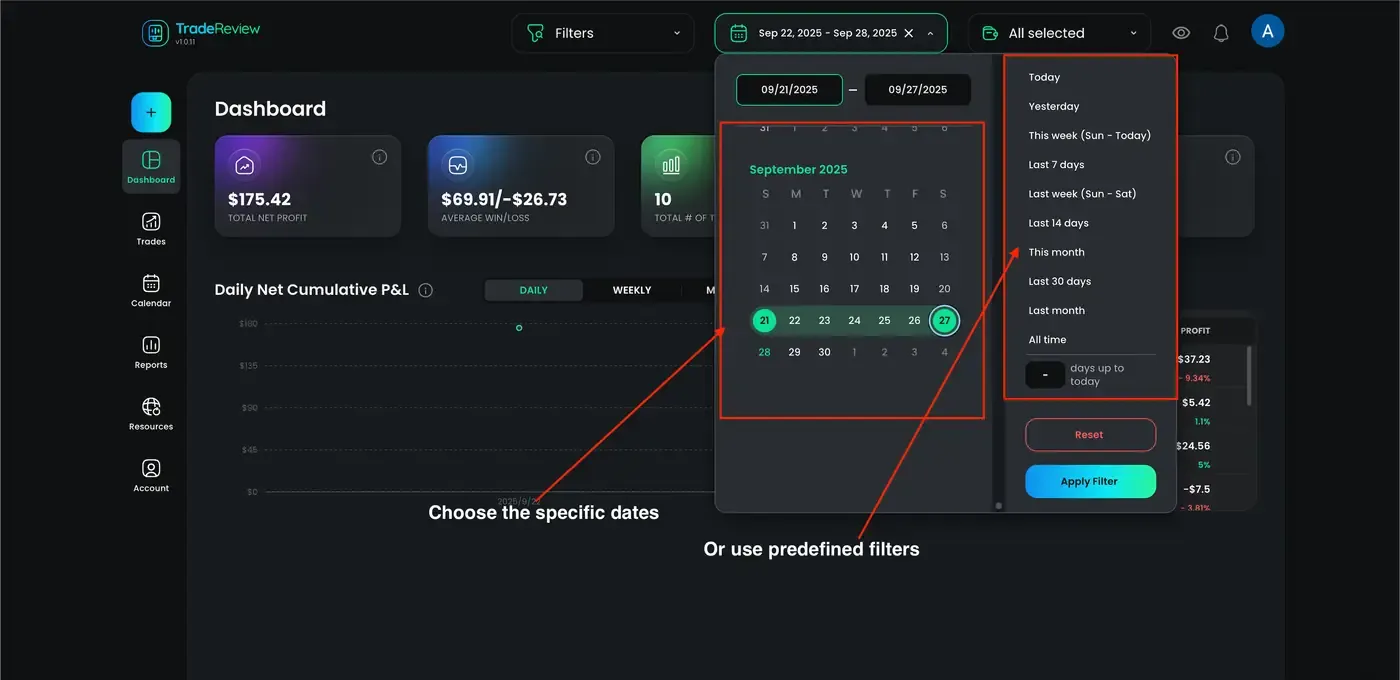
Date range
Section titled “Date range”Use the date range selector at the top of the page to limit the period you are reviewing (session, week, month, or custom).
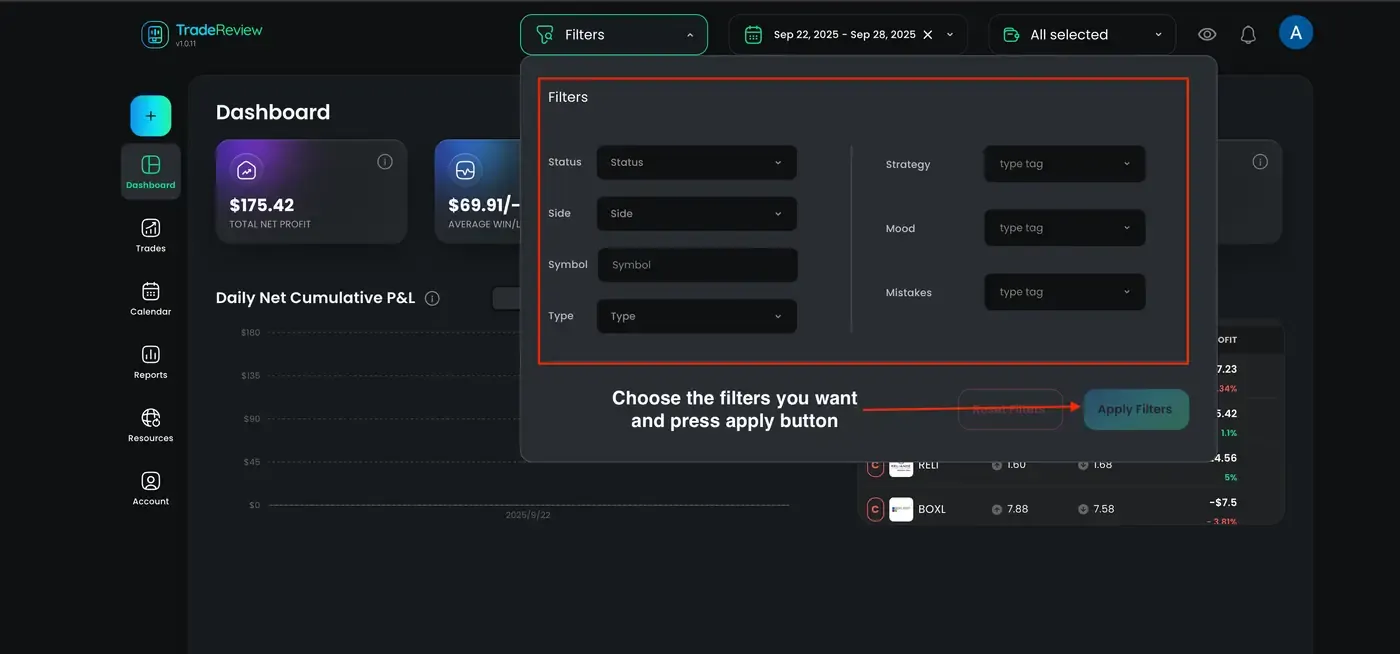
Filter button
Section titled “Filter button”Open Filter for additional criteria:
- Status — open or closed
- Type — instrument (stocks, options, crypto, and others)
- Tags — labels you applied to trades
- Side — long or short
- Symbol — a specific ticker
Keep the same filters when you move between Dashboard, Trades, and Reports so numbers stay consistent.
Practical examples
Section titled “Practical examples”- One setup — filter by a tag (or assign a strategy) and review only those trades
- Long vs short — filter by Side to compare bias
- One ticker — filter by Symbol, then open the Symbols report for the wider picture
- Monthly review — set a month date range and check Dashboard + General report together