
TradeReview mobile app for iPhone and Android
TradeReview is available as an app for iPhone and Android. Sign in with the same account you use on the web. Your trades, notes, and reports are the same on every device.
Get the app
Section titled “Get the app”- iPhone: TradeReview on the App Store. Requires iOS 15.0 or later.
- Android: TradeReview on Google Play
Find your way around
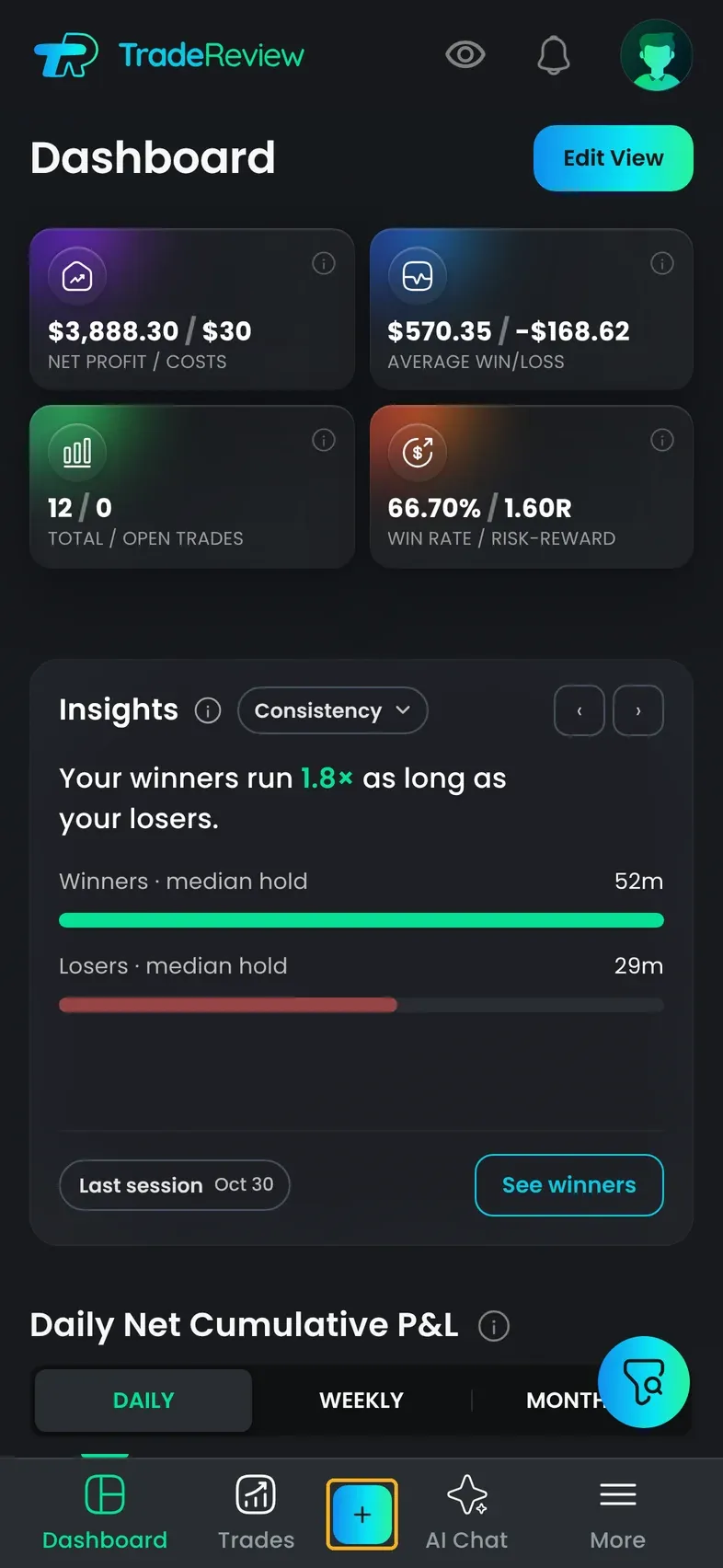
Section titled “Find your way around”The tab bar at the bottom has Dashboard, Trades, AI Chat, and More. Use the + button to add a trade, import a CSV, or link a broker.
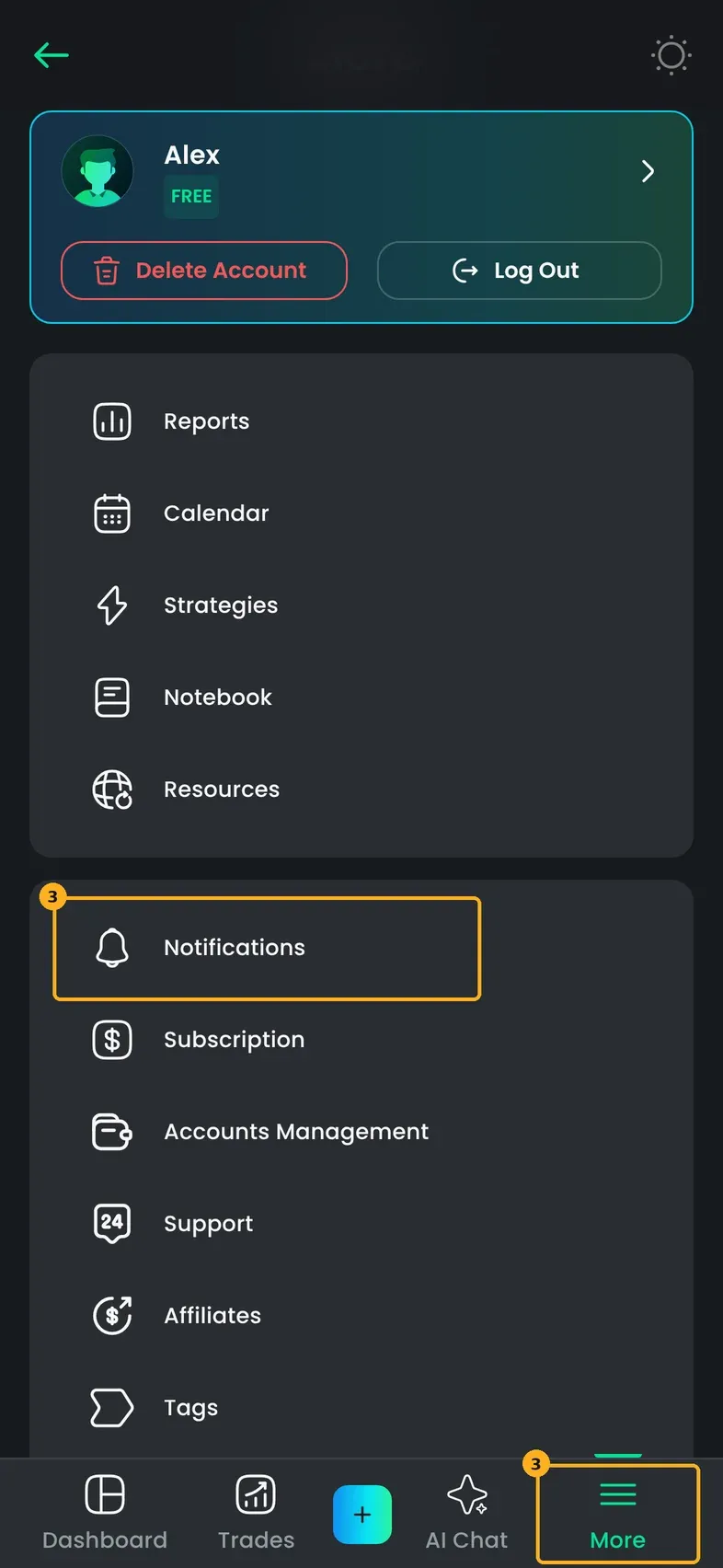
Open More for everything else: Calendar, Reports, Strategies, Notebook, Notifications, Subscription, and your account settings.
Turn on push notifications
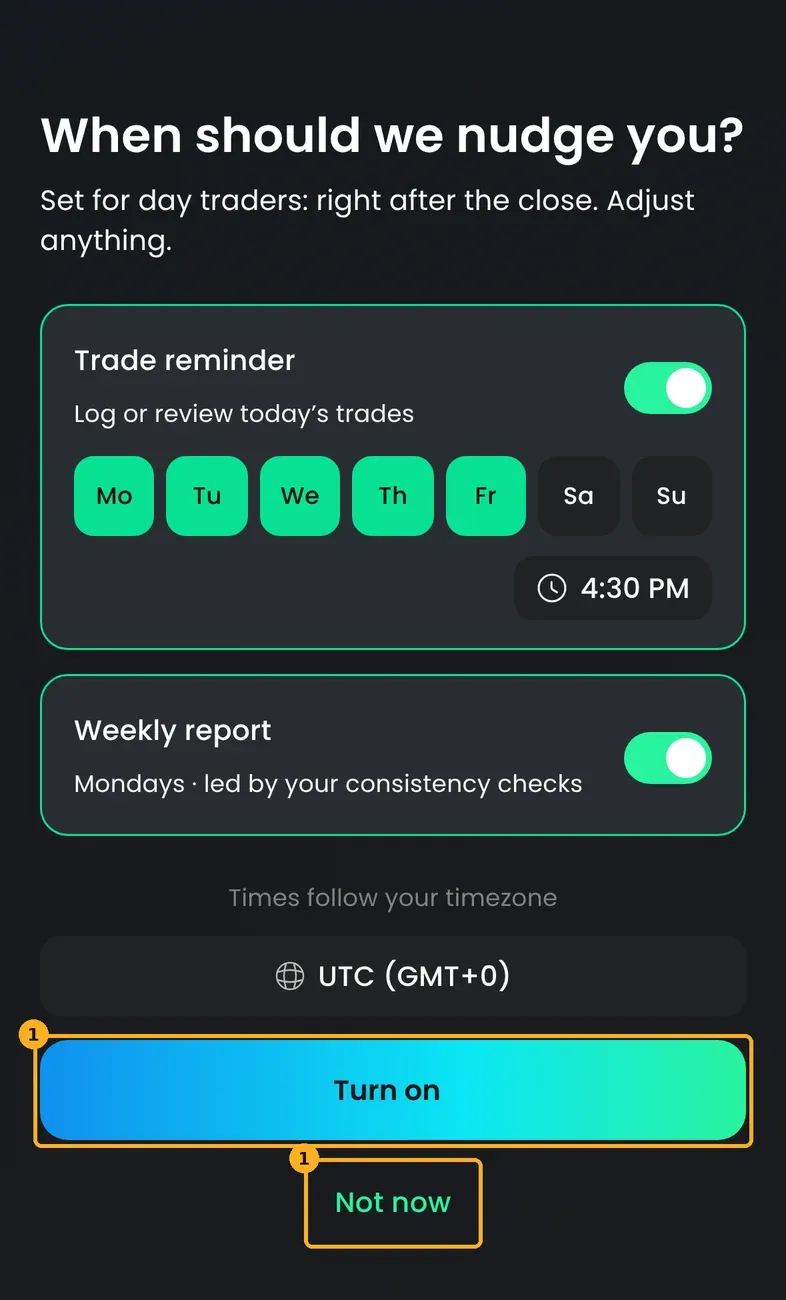
Section titled “Turn on push notifications”Step 1: During setup, on When should we nudge you?, pick what you want and tap Turn on. Or tap Not now to decide later.
Step 2: When your phone asks, allow notifications for TradeReview.
Step 3: To change them later, open More → Notifications. Turn on a notification, then choose Push, Email, or both.
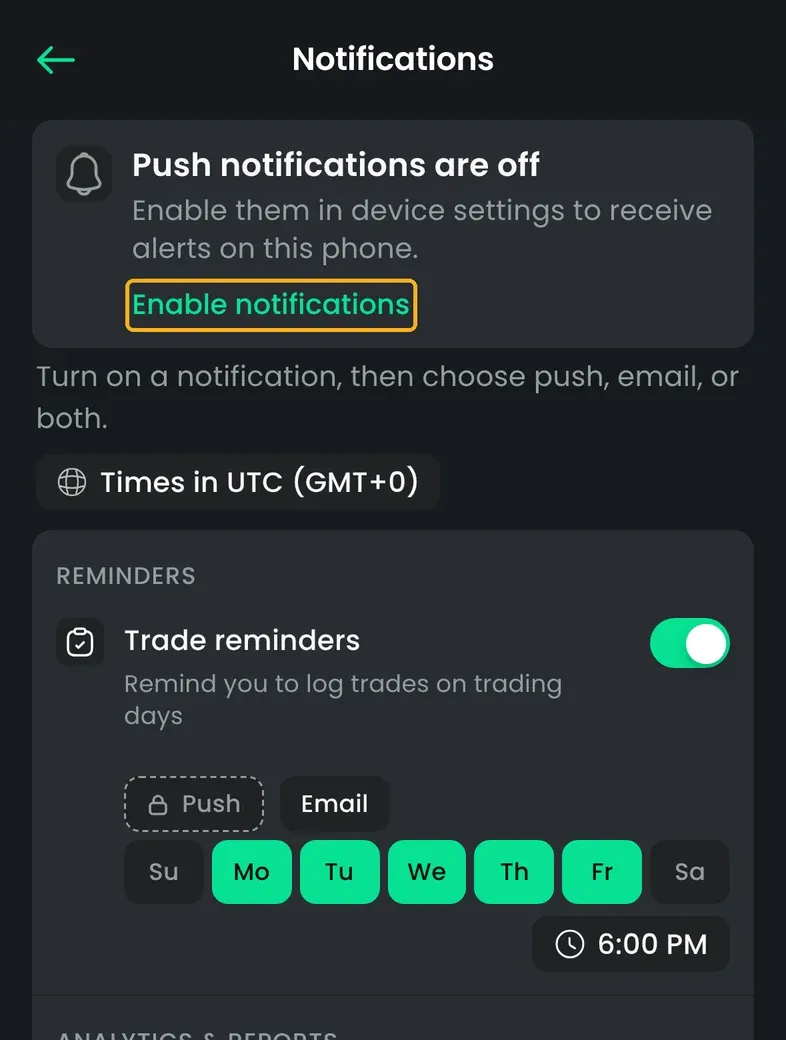
If you turned notifications off in your phone’s settings, the Notifications page shows Push notifications are off. Tap Enable notifications and allow them for TradeReview. See Notifications.
What tapping a notification opens
Section titled “What tapping a notification opens”| Notification | Opens |
|---|---|
| Trade reminders | Your trades, or a review of trades waiting for review |
| Weekly Summary / Monthly Summary | Reports |
| Broker stopped syncing | The broker account, so you can fix it |
| App Updates | The link in the notification |
Notifications also appear in the inbox. Tap the bell icon at the top of the screen to see them.
Connect a broker in the app
Section titled “Connect a broker in the app”You can link a broker from the app. For brokers you connect by signing in, such as eToro, cTrader, and Alpaca, the broker’s sign-in page opens. After you approve access, you return to the app. See Supported brokerage integrations.
Subscriptions in the app
Section titled “Subscriptions in the app”In the app, you can subscribe through the App Store or Google Play. If you already subscribed on this store account, open More → Subscription and tap Restore Purchases. See Membership.
Updating the app
Section titled “Updating the app”When a newer version is in the App Store or Google Play, the app shows New version available. Tap Update to open the store, or Later to keep using the current version.