
How mentorship works
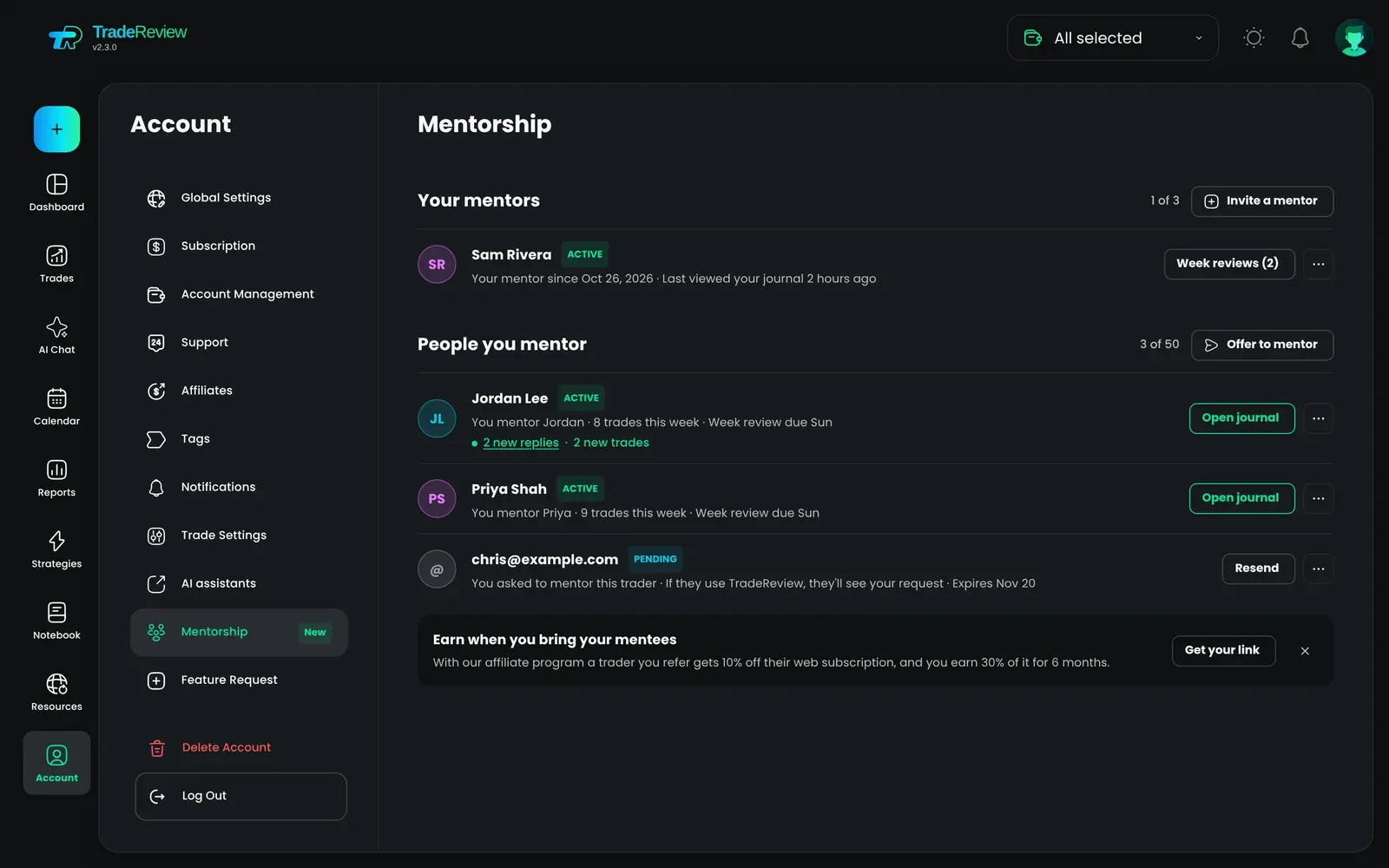
Mentorship lets a trader you trust read your journal and give you feedback: comments on trades, flags on the ones worth discussing, and a review of your week with goals for the next one. Open Account → Mentorship (Mentorship).
| What a mentor sees | Your whole journal, read only: accounts, trades and P&L, executions, screenshots, trade notes, strategies, tags, reports, Discipline, calendar and notebook. |
| What stays private | AI Chat history, broker connections and logins, billing and plan, your email and account settings. |
| What a mentor can do | Comment on trades, flag a trade for discussion, and write you a week review. A mentor can’t edit, add or delete anything in your journal. |
- Having a mentor is part of the Basic and Pro plans. See Membership and billing.
- Mentoring is free on every plan, including Free. Your mentor doesn’t need a paid plan.
Get a mentor
Section titled “Get a mentor”Step 1: Open Account → Mentorship and click Invite a mentor.
Step 2: Invite them one of two ways:
- By email. Enter their email and, optionally, what you’d like feedback on.
- With a one-time link. Click Create and copy link and send it in any chat. The link works once and expires 7 days after you create it. You can revoke it at any time.
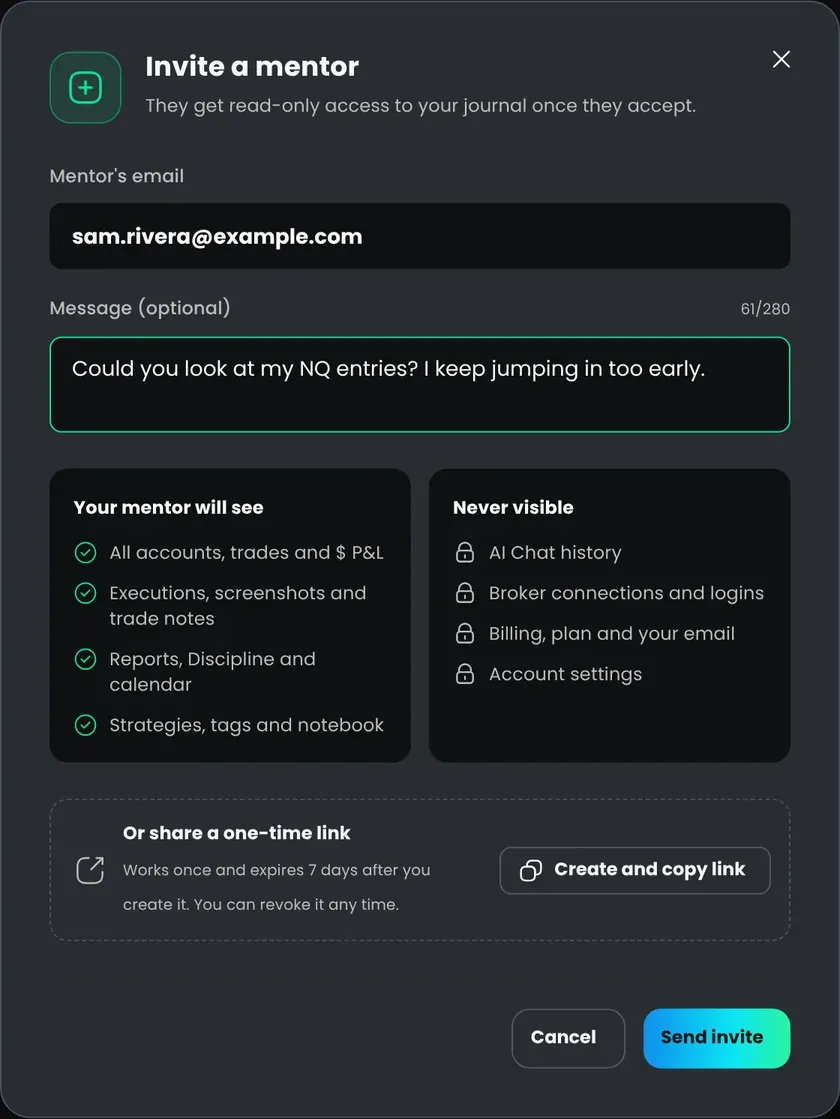
Step 3: Your mentor accepts. Before they do, they see exactly what they’ll get access to. From then on they can open your journal.
You can have up to 3 mentors at a time. Each mentor has their own feedback threads with you and doesn’t see the other mentors’ comments.
A trader can also offer to mentor you. Their name and message appear under Requests. Nothing is shared until you accept.
Mentor someone
Section titled “Mentor someone”You can mentor up to 50 traders.
- Accept an invite. Open the email or link the trader sent you and click Accept and open journal.
- Offer to mentor. In Account → Mentorship, click Offer to mentor and enter the trader’s email. They need a TradeReview account. They see your name and message and decide whether to share. To share their journal, they need Basic or Pro.
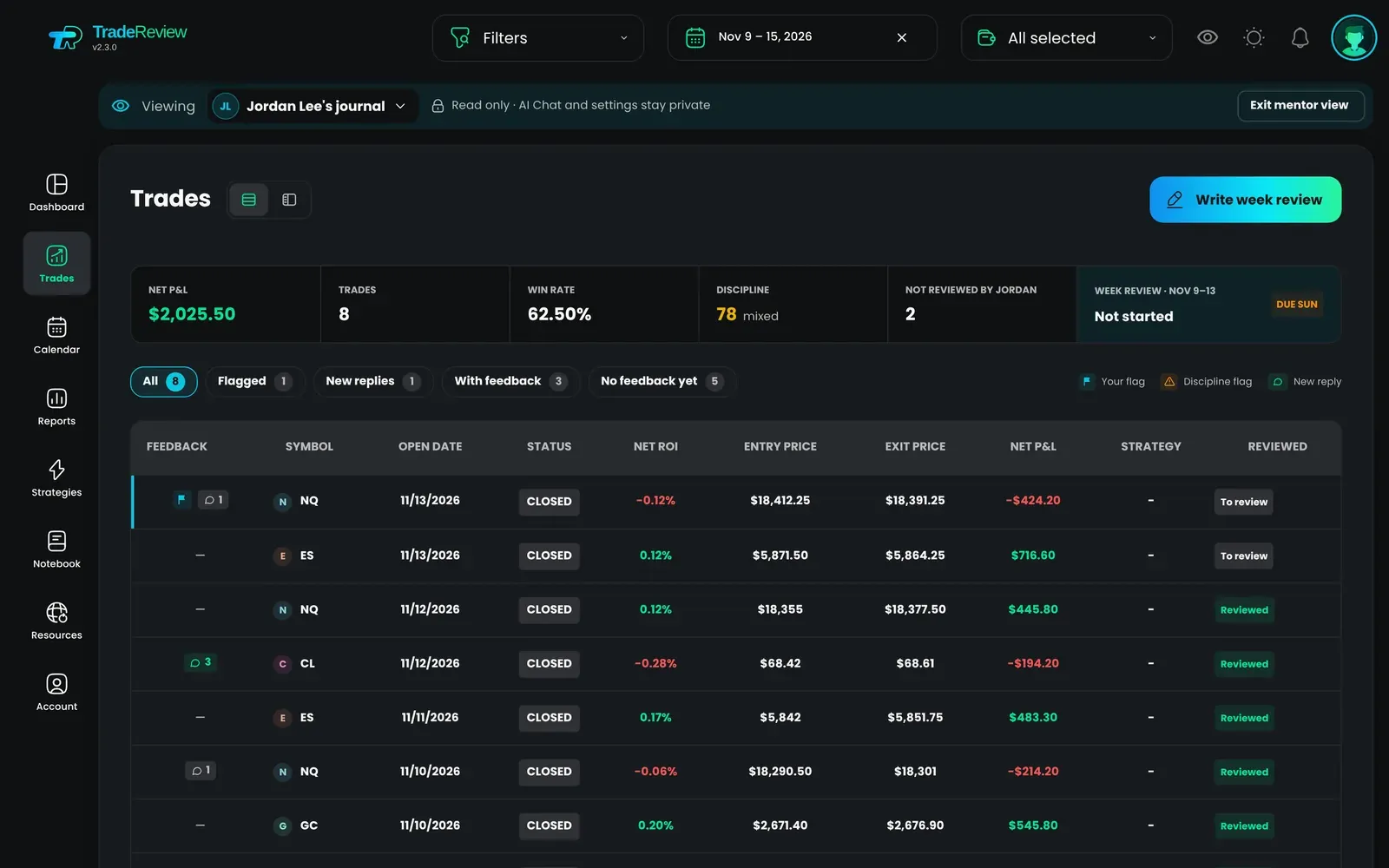
To open a mentee’s journal, use Account → Mentorship or the journal switcher. You see their dashboard, trades, reports and notebook as they do, in their time zone. A bar at the top shows whose journal you’re in. Click Exit mentor view to go back to your own journal.
Your own journal stays private. Mentoring someone never gives them access to it.
Comments and flags
Section titled “Comments and flags”A mentor opens a trade and writes in its Feedback tab. A comment can be about the whole trade or point at a specific entry or exit on the chart. The mentee replies in the same thread. Only the two of you see it.
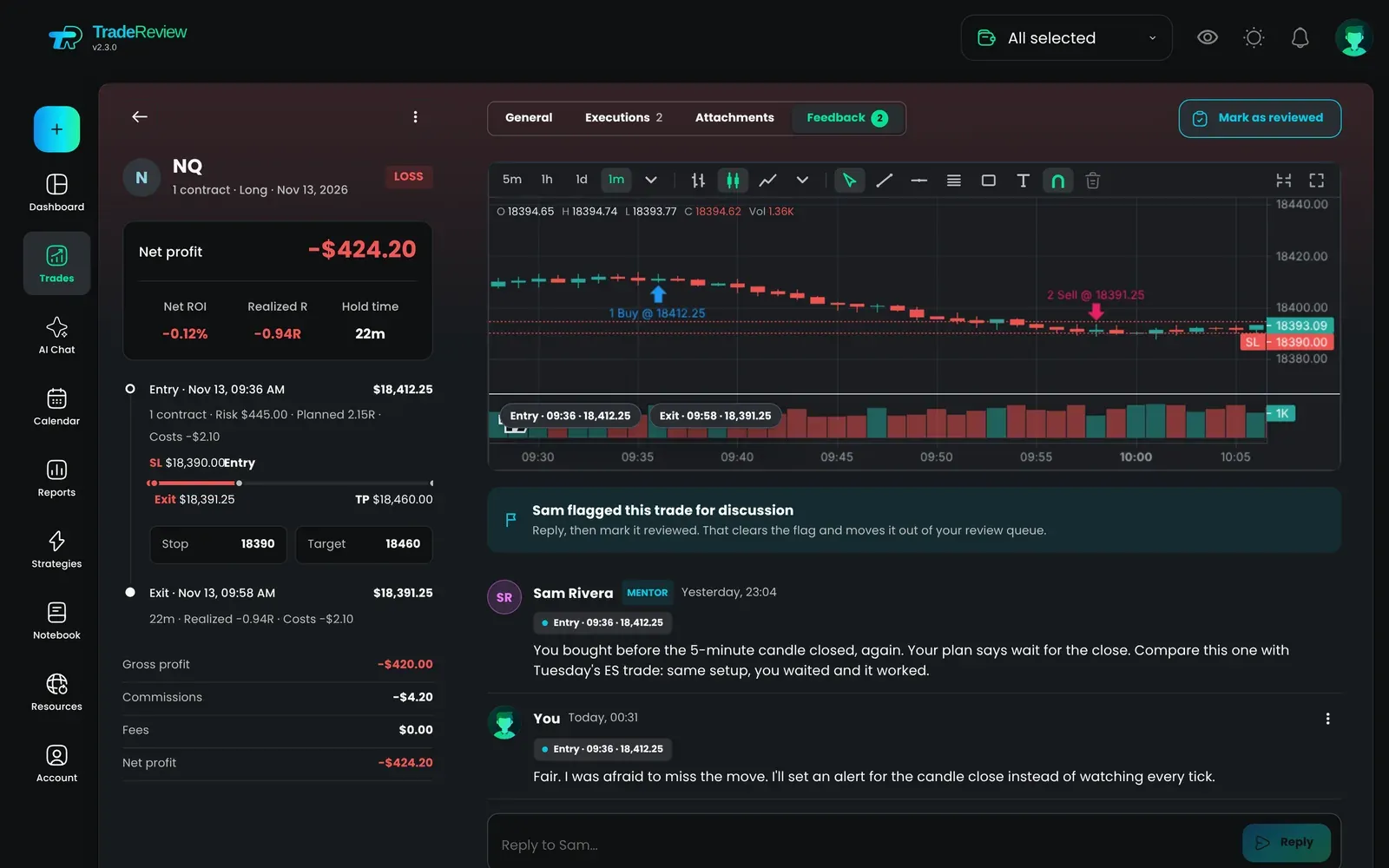
A mentor can also click Flag for discussion. Flagged trades come first in the mentee’s review queue. Reply, then click Mark as reviewed to clear the flag. See Review sessions.
Week reviews
Section titled “Week reviews”At the end of a week a mentor can write a review: a summary, with formatting and screenshots, and up to 3 goals for the next week.
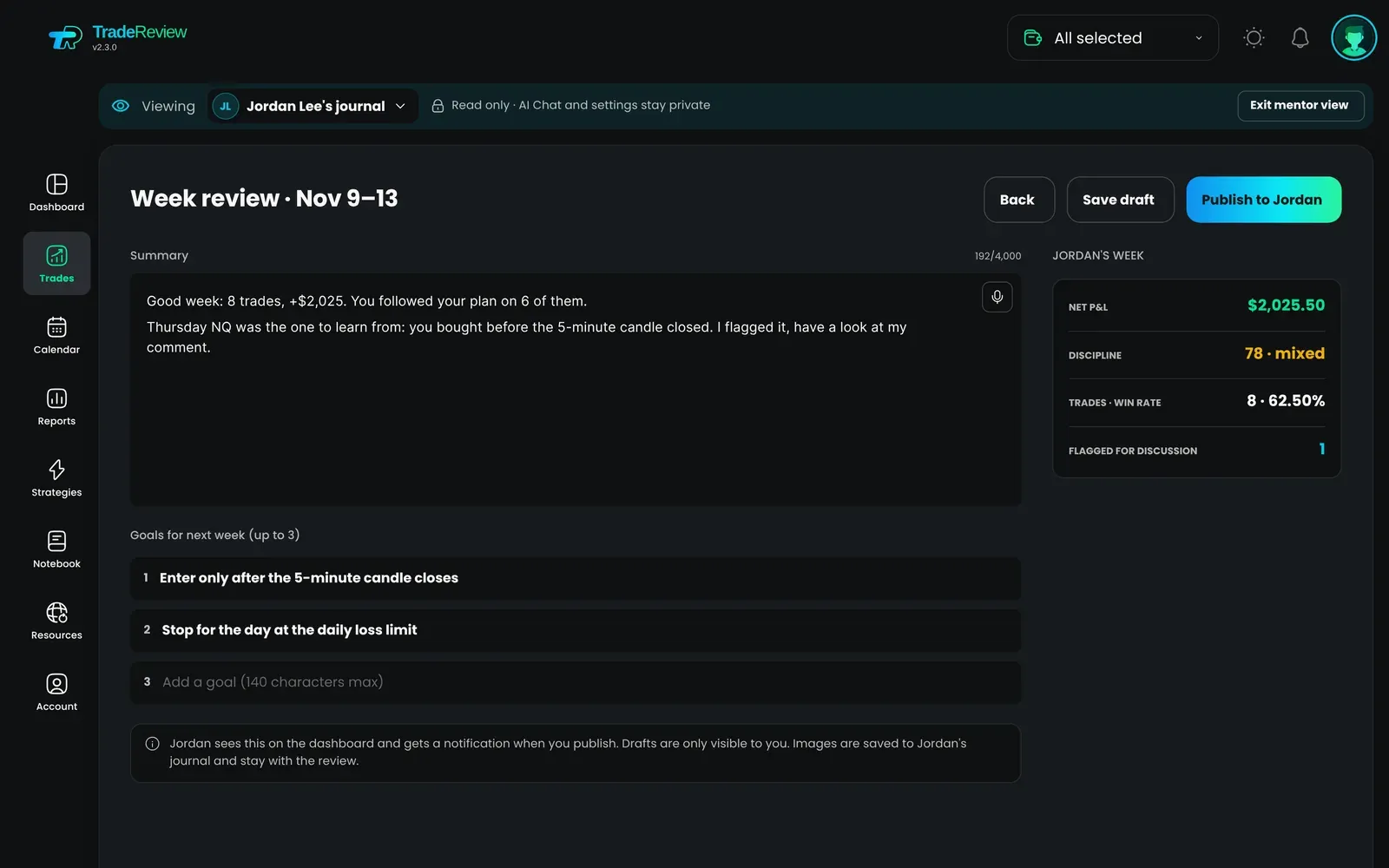
- Drafts are visible only to the mentor.
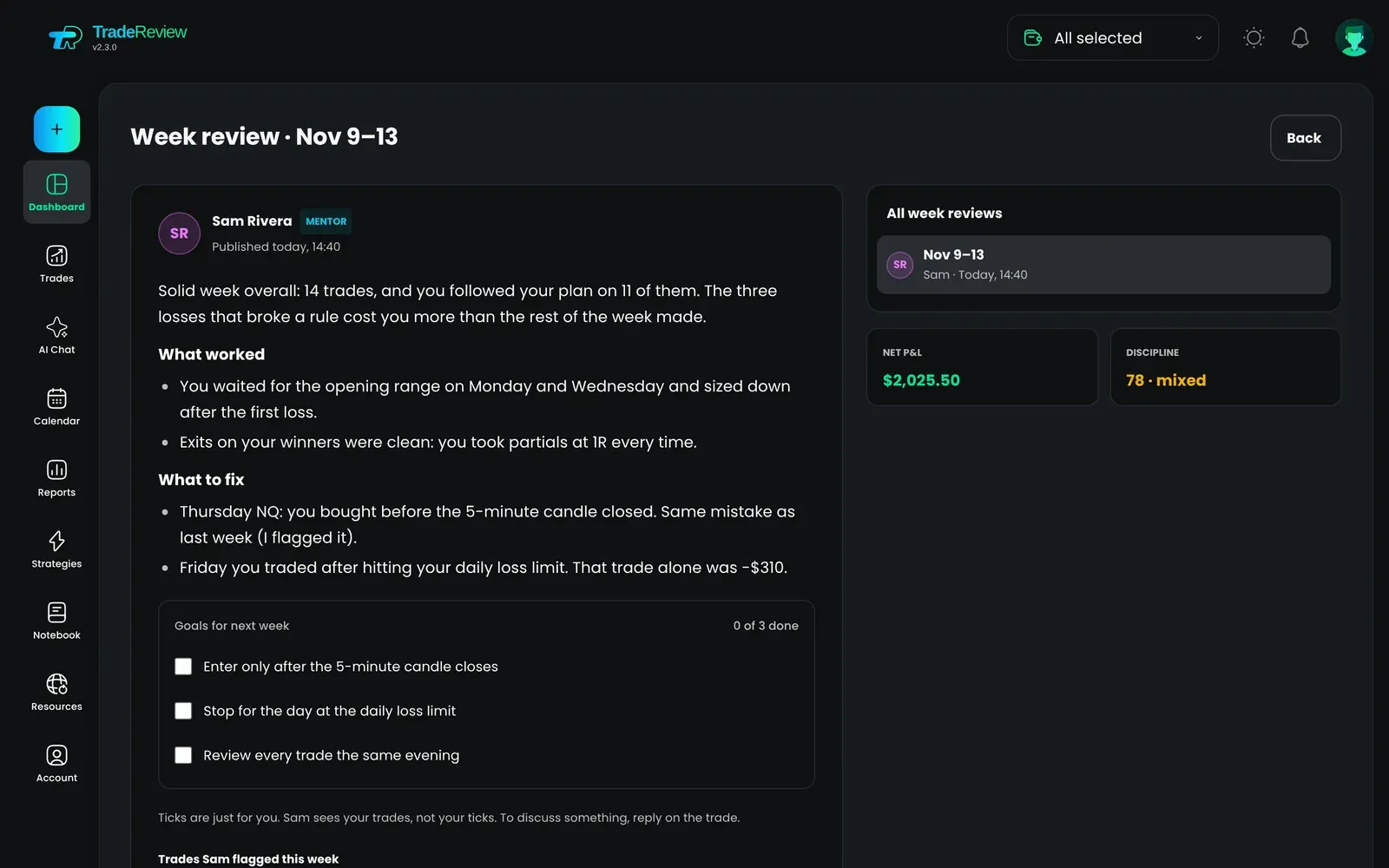
- Once published, the review appears on the mentee’s dashboard, and the mentee gets a notification. The mentor can still edit it afterwards.
- The mentee can tick goals as they go. The mentor doesn’t see the ticks.
Notifications
Section titled “Notifications”You get a notification when your mentor comments, flags a trade or publishes a week review. Mentors are notified when you reply. Turn these on or off with Mentorship in Notifications.
On the dashboard, a mentee can see when each mentor last viewed the journal, or that they’re viewing it now.
Pause or end a mentorship
Section titled “Pause or end a mentorship”If the mentee’s plan ends, mentors’ access is paused. Nothing is deleted, and access comes back automatically on renewal.
Either of you can end a mentorship at any time in Account → Mentorship. Access stops right away.
- Comments, flags and published week reviews stay in the mentee’s journal.
- A mentor’s unsent week review drafts stay in their history for 30 days, so they can copy the text, and are then deleted.
- Ended mentorships are listed under Past mentorships.
Does my mentor need to pay? No. Only the trader who shares their journal needs Basic or Pro.
Can my mentor change my trades? No. A mentor’s access is read only.
Can my mentor see my broker logins or AI Chat? No. Broker connections, AI Chat history, billing, your email and account settings are never shared.
Does my mentor see my P&L in dollars? Yes. They see your accounts, trades and P&L as you do. Privacy mode hides amounts only on your own screen.
What happens to feedback if we stop? It stays in your journal.
I mentor traders. Can I earn from it? Yes. With the affiliate program, traders you refer get 10% off their web subscription, and you earn 30% of it for 6 months.